
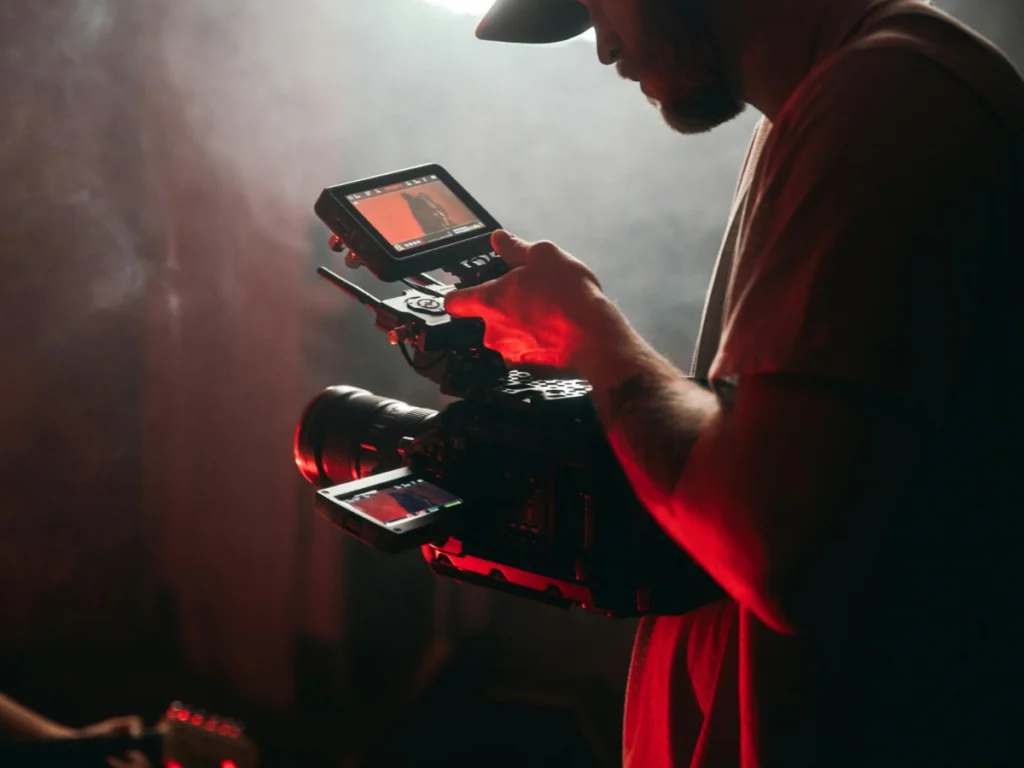
Cinematic videography isn’t about owning the most expensive camera; it’s about seeing the world like a filmmaker. Every shot captured holds the power to tell a story, capturing moments in travel vlogs, short films, or brand videos with intention and style. True cinematic footage emerges through careful choices in framing, movement, lighting, and sound. Many aspiring creators struggle to make their footage look professional or cinematic, and understanding these core techniques is key to bringing your vision to life. This guide will help you master essential methods to elevate your shots and create high-impact visuals that capture attention.
Essential Elements That Make a Video Cinematic
Below are the essential elements that should be kept in mind to make your video cinematic and visually compelling:
1. Camera Settings for Professional Cinematic Videography
Frame Rate
Capturing footage at 24fps recreates the motion cadence of traditional films, producing natural and familiar movement. Choosing the right frame rate directly impacts how viewers experience motion, which is especially important when creating stunning product videos that highlight every detail of a product. Higher frame rates like 60fps or 120fps are ideal for slow-motion sequences, enabling detailed observation without introducing motion stutter.
Shutter Speed
The 180-degree shutter rule states that shutter speed should be double the frame rate to ensure natural motion blur. For example, 24fps requires a 1/50 sec shutter speed. Using faster shutter speeds produces a staccato effect, suitable for high-action sequences or stylized scenes. Slower shutter speeds create exaggerated blur for dreamy or ethereal visuals, but risk softness or ghosting in fast motion.
ISO Management
ISO settings control sensor sensitivity. Keeping ISO low (100–400) reduces noise and preserves fine image detail. In low-light environments, adjust aperture and shutter speed first, then ISO. Incorporating neutral density (ND) filters allows wide-aperture shooting in bright conditions, maintaining cinematic motion blur without overexposure.
White Balance
Manual white balance maintains consistent color tones across shots. Auto modes can introduce color shifts that disrupt cinematic continuity. Using grey cards, color checkers, or waveform monitors ensures accurate calibration, which is crucial for professional videography services.
Picture Profiles
Shooting in flat, Log, or RAW profiles preserves maximum dynamic range in shadows and highlights. These profiles provide flexibility for color grading, allowing control over contrast, saturation, and tonal balance to craft the best cinematic videos.

2. Lens Selection and Depth Control
Aperture and Depth of Field
Wide apertures (f/1.2–f/2.8) isolate subjects through shallow depth of field, drawing viewer attention and creating visual separation from the background, a technique mostly used in a cinematic product video to emphasize form and surface detail. Narrow apertures (f/8–f/16) extend focus for landscapes or ensemble shots, which ensures sharpness across multiple planes. Depth of field manipulation can subtly influence viewer focus and narrative emphasis.
Focal Length and Perspective
Medium telephoto lenses (35–85mm) slightly compress space, producing natural, flattering perspectives without distortion. Wide-angle lenses (<24mm) exaggerate space, which is useful for dramatic establishing shots or emphasizing scale, but require careful framing to avoid visual distortion.
Focus Control
Manual focus allows filmmakers to precisely control what appears sharp within the frame and isolate subjects to direct viewer attention. Focus pulling shifts focus from one subject to another within a single shot, creating visual emphasis and supporting narrative flow. Tools such as focus peaking and focus magnification assist with accurate focus in shallow depth-of-field setups and during fine focus adjustments.
3. Lighting Techniques for Stunning Cinematic Video Clips
Three-Point Lighting Setup
- Key Light: Primary illumination defining exposure and shape
- Fill Light: Softens shadows without flattening the subject
- Backlight/Rim Light: Separates subject from background, creating depth and three-dimensionality
Directional and Motivated Lighting
Use softboxes, reflectors, or flags to shape light precisely. Position lights to sculpt textures, emphasize emotion, or simulate natural environmental sources. Motivated lighting, where light appears to originate from practical sources such as windows or lamps, enhances realism.
Color Temperature and Gels
Kelvin adjustments (3200K–5600K) or color gels create mood, cool tones for tension, warm tones for intimacy. Maintain consistent color temperature across shots to prevent visual dissonance.
Lights and Ambient Control
Incorporating visible lights on set enhances realism. Dimmer control and flags help manage light spill, keeping subjects distinct from the background, whether you’re working in a full photography studio for rent or on location.
4. Composition and Framing
Rule of Thirds and Golden Ratio
Placing subjects along intersecting points or spiral curves guides viewer attention naturally, producing balanced and visually appealing compositions.
Leading Lines, Symmetry, and Layering
Environmental lines direct attention toward the subject. Symmetry conveys order and balance, and layering the foreground, midground, and background creates a sense of depth that enhances immersion in cinematic videos and improves three-dimensional presence.
Negative Space
Strategically using empty areas emphasizes subjects and conveys mood or tension without introducing clutter. Proper negative space can enhance dramatic impact and direct viewer focus.
5. Camera Movement Techniques
Gimbals and Stabilizers
Handheld gimbals, steadicams, or motorized rigs deliver smooth, stable footage during movement. Stabilized shots eliminate shake and enable dynamic tracking, dolly, or crane-style sequences essential for cinematic video clips.
Sliders and Jibs
Horizontal or vertical controlled movement introduces subtle energy to static scenes. Maintaining consistent speed ensures professional rhythm, preventing distracting jerks or abrupt motion.
Motivated Motion
Every camera movement should serve the story, approaching, circling, or retreating from subjects communicates emotion, perspective, and narrative focus. Random movements risk breaking viewer immersion.
6. Color and Post-Processing
Shooting Flat or Log Profiles
Preserves maximum detail in shadows and highlights, offering flexibility in post-production for precise color correction and grading of cinematic footage.
Color Grading
Contrast, hue, saturation, and exposure adjustments unify the visual style. Using LUTs (Look-Up Tables) strategically creates professional tones while preserving highlight and shadow detail.
Consistency Across Scenes
Maintaining exposure, white balance, and tonal cohesion ensures visual continuity, preventing breaks in cinematic immersion. Consistency strengthens the overall professional look of the project.
Conclusion
The choices you make, such as lighting, camera angles, and lens selection, have the power to shape how a story is perceived, capturing attention and leaving a lasting impression. Bringing these creative decisions together into compelling visual narratives requires experience, technical expertise, and a cinematic approach. With this philosophy at the core of every project, Grattan Studio helps brands, creators, and filmmakers bring their visions to life with high-impact visuals that connect with audiences. Our studio provides expert creative direction and access to professional lighting, backdrops, and equipment, enabling every project to achieve high-quality, compelling results. Partner with us today, and let’s create cinematic experiences that leave a lasting impression.
FAQs
What makes a video look cinematic?
A video looks cinematic when it combines controlled lighting, intentional camera angles, smooth movement, shallow depth of field, color grading, and well-composed frames to create a professional, film-like quality.
Can beginners shoot cinematic videography without expensive gear?
Yes. Beginners can achieve cinematic results with affordable cameras or even smartphones by mastering fundamentals like frame rate, shutter speed, composition, lighting, and lens choice. Technique matters more than gear.
How do professionals achieve smooth motion in cinematic videos?
Professionals use tools like gimbals, sliders, steadicams, or motorized rigs. Controlled, intentional movements and stabilizers ensure fluid tracking, pans, and tilts without shake or abrupt motion.
What editing software works best for cinematic videos?
Popular professional software includes Adobe Premiere Pro, Final Cut Pro, DaVinci Resolve, and After Effects. These allow precise color grading, motion correction, and advanced editing for cinematic quality.
Is a studio necessary for shooting cinematic product video?
Not necessarily. A studio provides control over lighting and background, but cinematic product videos can also be shot on location with controlled lighting, reflectors, and careful composition.